
Submitting Your Effect Pack
Submit a generated menu manifest after every effect definition, parameter, duration, and clone is registered and tested.
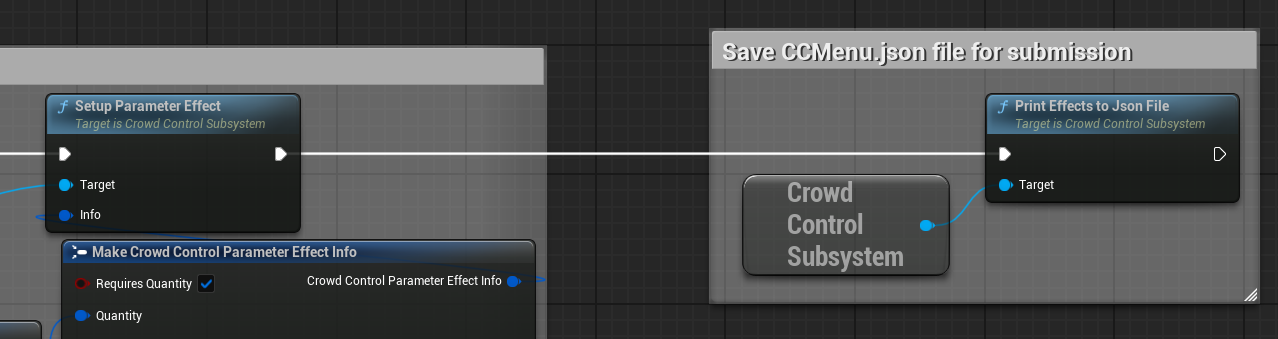
Generate CCMenu.json
- Connect and wait for
OnSessionReady. - Run the same registration routine used by the game.
- Create all required effect clones.
- Call Print Effects to Json File on
UCrowdControlSubsystem. - Find the generated file at:
text
<Project>/Saved/CCMenu.json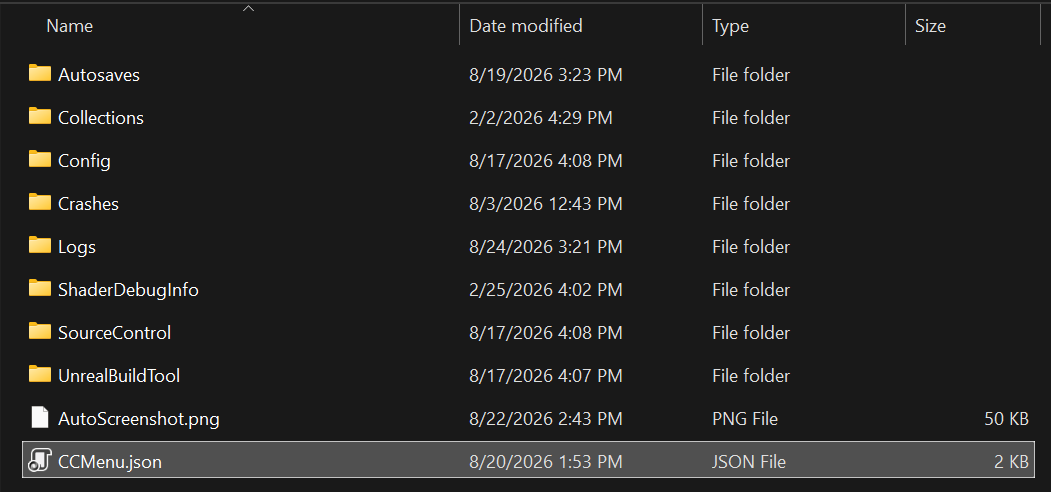
The manifest reflects definitions registered during the current run. If registration happened before initialization or a clone failed, that entry will be missing.
Review the Manifest
Before sending it, confirm:
- every ID is unique, lowercase, and contains no spaces,
- names and descriptions are viewer-facing,
- default prices are intentional,
- categories are consistent,
- timed effects have the expected duration,
- quantity ranges and parameter options are complete,
- cloned entries are present,
- obsolete effects have been removed.
Do not include secrets, tokens, or local paths in the file.
Request Production IDs
Join the Warp World Discord, select Community Developer, and use the #cc-developers channel, or email developer@crowdcontrol.live.
Provide:
- the game/project name,
CCMenu.json,- a brief description of the integration,
- the platforms and Unreal version you intend to ship.
The Crowd Control team will coordinate:
- a production Game Pack ID for
GamePackID, - an Application ID for
ApplicationID, - live testing and pack review.
The current Unreal application flow does not require a PublicClientKey.
Apply and Retest Production IDs
- Replace
UnrealDemowith the assignedGamePackID. - Set the assigned
ApplicationID. - Clear or reset any old test login state as needed.
- Test a fresh authorization.
- Verify the production menu and every response path in a packaged Win64 build.
Regenerate and resubmit CCMenu.json whenever the effect definitions change.